TN2: Daily Planner & Tracker is a Productivity application developed by Jan Zimola, but with the best Android emulator-LDPlayer, you can download and play TN2: Daily Planner & Tracker on your computer.
Running TN2: Daily Planner & Tracker on your computer allows you to browse clearly on a large screen, and controlling the application with a mouse and keyboard is much faster than using touchscreen, all while never having to worry about device battery issues.
With multi-instance and synchronization features, you can even run multiple applications and accounts on your PC.
And file sharing makes sharing images, videos, and files incredibly easy.
Download TN2: Daily Planner & Tracker and run it on your PC. Enjoy the large screen and high-definition quality on your PC!
⏰ TimeNoder2: The Ultimate Free&No-Ads Daily Planner & Tracker ⏰Are you looking for a powerful tool to manage your tasks, projects, and schedules? Look no further! TimeNoder2 is your all-in-one productivity app designed to help you stay organized and achieve your goals, now with Wear OS support for on-the-go management.
🚀 Key Features:
📅 All-in-One Planner: Seamlessly manage your to-do lists, projects, and tasks.
🔄 Calendar Integration: Import and sync your device calendars, including Google Calendar.
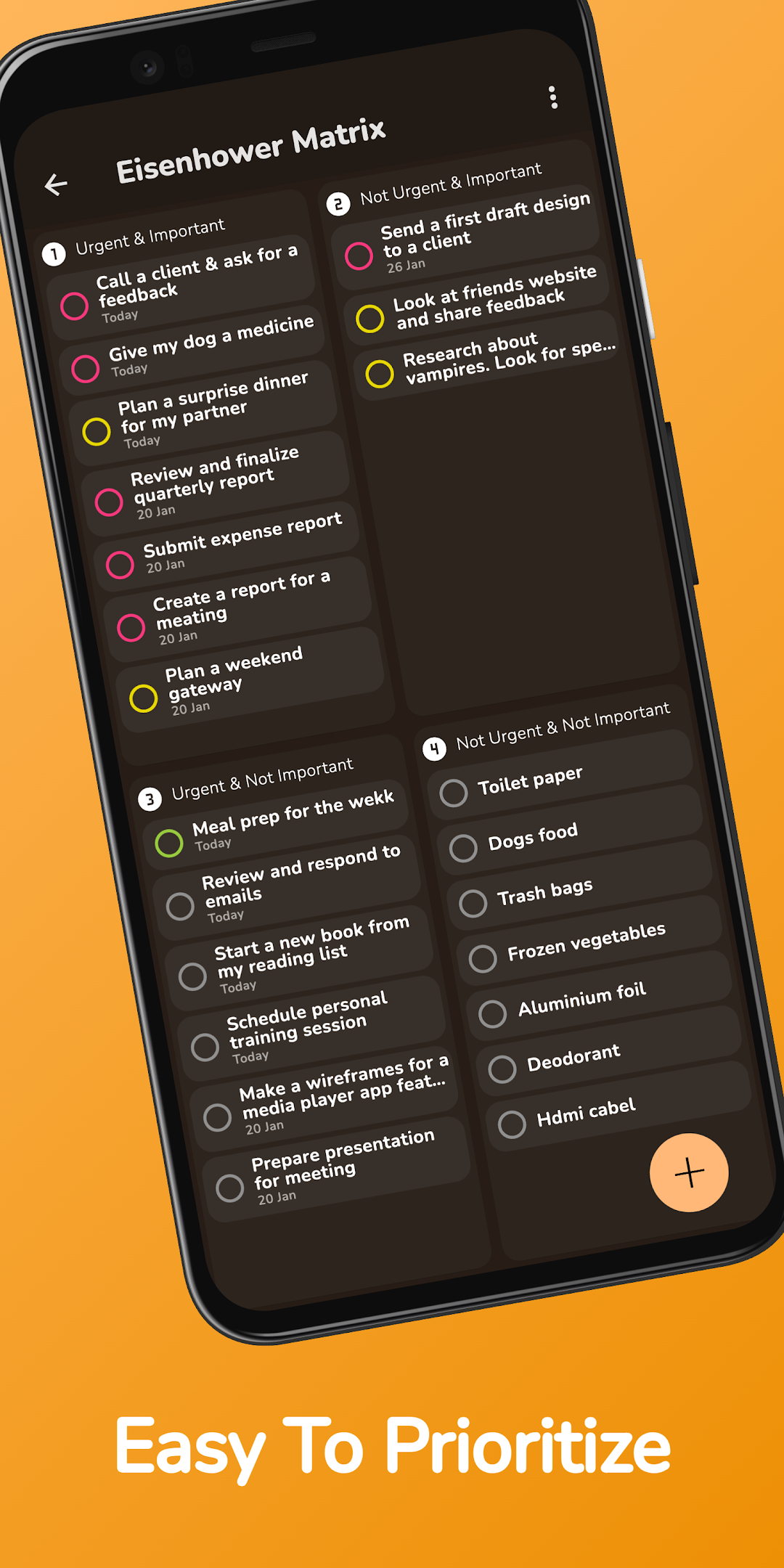
✅ Task Management: Prioritize and complete tasks efficiently using the Eisenhower matrix.
📈 Tracking: Track your projects and tasks effortlessly.
📆 Scheduling View: Plan your day and include tasks in your daily schedule.
📝 Note Editor: Add detailed descriptions to tasks and keep all your notes in one place.
📊 Detailed Statistics: Gain insights into your productivity and visualize your progress over time.
🎨 Customization: Personalize your app with various themes and wallpapers.
🎁 Rewards System: Earn points for planning, tracking, and completing tasks, and redeem them for rewards.
🚫 Ad-Free Experience: Enjoy all features without any ads interrupting your workflow.
⌚ Wear OS Support: Manage tasks, check schedules directly from your wrist.
🌟 Early Access Exclusive! 🌟
Be among the first to experience TimeNoder2 for free. Unlock all premium features and capabilities at no cost as an early adopter. Don’t miss this limited-time opportunity to enhance your productivity.
Start taking control of your time, and tasks today. Download TimeNoder2 and embark on a journey toward productivity, balance, and success.
Have questions or suggestions? Reach out to us at support@timenoder.com. Your input drives our innovation. Time is precious. Make every moment count with TimeNoder2. ⏳