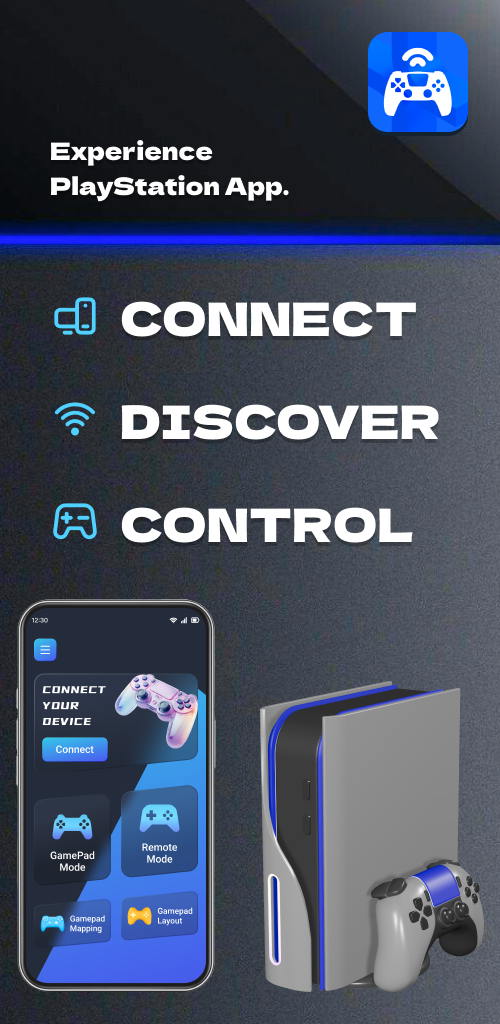
Remote Play For PS4/PS5 is a Entertainment application developed by Dynamic Remote, but with the best Android emulator-LDPlayer, you can download and play Remote Play For PS4/PS5 on your computer.
Running Remote Play For PS4/PS5 on your computer allows you to browse clearly on a large screen, and controlling the application with a mouse and keyboard is much faster than using touchscreen, all while never having to worry about device battery issues.
With multi-instance and synchronization features, you can even run multiple applications and accounts on your PC.
And file sharing makes sharing images, videos, and files incredibly easy.
Download Remote Play For PS4/PS5 and run it on your PC. Enjoy the large screen and high-definition quality on your PC!
Enjoy PS Gaming with Ease, Anytime, Anywhere! 🎮📱With smart Android devices, you can now remotely control and enjoy the fun of gaming more conveniently. Stream PlayStation visuals directly to your phone, and no matter where you are, you don't have to worry about the limitations of the TV. With just a few simple steps, connect your PS device and log in to your PS account to experience full remote playback and control features on your smartphone or tablet. 🌐
No Matter Where You Are, Remote Play for PS4/PS5 Gives You Full Control Over Your PlayStation 5 or PlayStation 4 Console. 🎮
Main Features:
Use Remote Play for PS4/PS5 as a virtual DualShock controller for PlayStation 5/PlayStation 4 🎮
Stream from PlayStation 4/PlayStation 5 to your device with ultra-low latency ⚡
Use the screen controller on your mobile device as a second screen for PS games, controlling your PlayStation 4 and PlayStation 5 📲
Support for third-party, DualSense/DualShock, and physical controllers on all Android devices 🎮
Steps to Use Remote Play for PS4/PS5:
Ensure your router is configured to allow remote play 🖥️
Log in to your PlayStation Network account 🔐
Make sure your PlayStation 4 or PlayStation 5 console system software is up to date 🔄
Connect to a high-speed internet (home Wi-Fi network) 🌐
Use a mobile device with Android 7.0 or higher installed 📱
Use Remote Play for PS4/PS5 as a virtual DualShock controller for PlayStation 4/PlayStation 5 🎮
What Remote Play for PS4/PS5 Supports:
Supports Android TV devices 📺
Supports PS4 firmware version 5.05 and above 🖥️
Supports PS4/PS5/PlayStation 4/PlayStation 5 consoles with the latest system software 🎮
Remote Play for PS4/PS5 allows you to remotely control and play any PS4/PS5/PlayStation 4/PlayStation 5 games that support remote play 🌐
Enjoy the Following Games:
FIFA 21, FIFA 22 ⚽
God of War, Horizon Forbidden West 🎮
GTA V, The Last of Us 🚗💀
And all the games on your device 🎮
Or use Remote Play for PS4/PS5 as a virtual DualShock game controller for PlayStation 4/PlayStation 5 📱🎮
Disclaimer/Trademark:
-This application is not affiliated with Sony or its subsidiary brands, nor is it an official application of Sony. 🚫🎮
Contact us: cs@ldyt.online 📧
If you would like to learn more about us, please visit https://ldyt.online for details. 🌐