


Use LDPlayer to Play Fitoons on PC
Fitoons is a Casual game developed by Avokiddo. LDPlayer is the best platform for playing Fitoons on Windows PC, offering powerful features to enhance your immersive experience in Fitoons.
When playing Fitoons on your computer, if you find repetitive actions or tasks tedious and time-consuming, fret not! Macro can alleviate your concerns. Simply record your actions with a click of the screen recording feature and let macros take care of the rest. Macros automate your operations, allowing you to effortlessly conquer the game with minimal effort! Start downloading and playing Fitoons on your computer now!
*** 75% OFF for a limited time! ***3, 2, 1 Go! Exercise, eat healthily, and get fit!
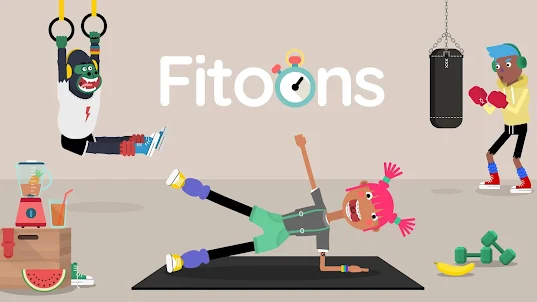
Can a dog be an expert hurdler? Should you make smoothies from fruit or pizza? Find out in this fun fitness game for kids that’s like no other.
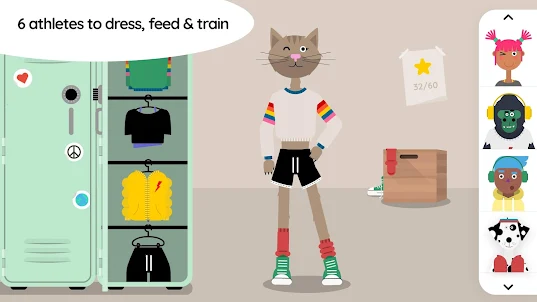
Choose from 6 hilarious characters, dress them up in stylish sports gear and go exercise! You'll discover whether a gorilla can do squats, and if a cat can snowboard like a pro.
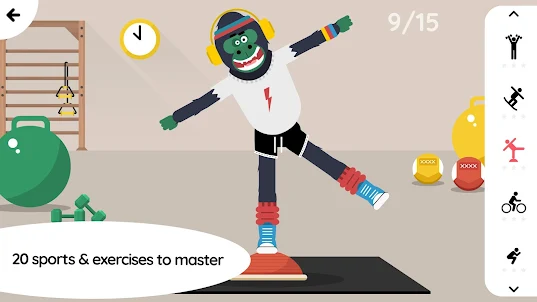
There are 20 different sports to choose from, at the gym and in the fresh air. Training your athletes will require skill, precision and timing.
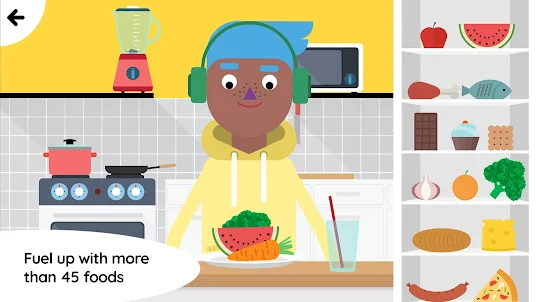
Then it’s time to eat – but what? Well, that’s up to you. In the fully-stocked kitchen, blend a loaf of bread, fry a chocolate bar, microwave an apple – or cook up something more conventional! There are all kinds of goodies to fuel your athletes, from fruit and vegetables to cheese and cakes...Mmmm. What will you feed your athletes to keep them fit and healthy?
Vegan? Just a tick box and you're set.
FEATURES
DRESSING SCENE:
• Choose from 6 hilarious characters - humans and animals
• Dress them up with the coolest gym outfits
• Change the skin colour of human-like characters
SPORTS AND WORKOUTS SCENE:
• Train your athletes in 20 different sports and workouts
• Interact with your characters in real-time and help them perform the movements
• Master timing, rhythm and breathing
• Watch your characters' bodies change during workouts
• Win stars to unlock more characters and more foods
• Learn about discipline, perseverance and endurance
KITCHEN SCENE:
• Feed your athletes and watch their hilarious reactions
• Over 45 different foods to choose from
• 6 kitchen appliances to cook your food any way you like (boil, fry, bake, chop, blend)
• Discover how different foods affect your character’s body
• Learn to balance food intake and exercise
• Encourage children to eat a variety of foods
• Free-play game style - explore as you wish
• Vegan mode available
GENERAL:
• Original concept and artwork
• Original music and sound design
• For ages 4 and up
• Safe to play, COPPA & GDPR Compliant
• No third-party advertising, no in-app purchases
• No internet connection required
HEALTH BENEFITS:
A third of children in the USA are overweight or obese, and childhood obesity is increasingly widespread elsewhere; but eating healthily and exercising from an early age can have lifelong positive effects, including lower blood pressure and blood cholesterol levels. Fitness in children can improve concentration and sleep patterns, boost strength and endurance, and help them better handle physical and emotional challenges.
Our app aims to encourage kids to have fun while learning about healthy eating and lifestyles. We hope Fitoons will inspire kids to develop good habits, eat a variety of foods, and add exercise to their daily routine.
PRIVACY POLICY:
We respect your privacy! We do not collect, store, or share any personal information or location data. Our app does not contain third-party ads or in-app purchases, is COPPA & GDPR compliant, and is completely safe for young children. Read our privacy policy at avokiddo.com/privacy-policy.
ABOUT AVOKIDDO:
Avokiddo is an award-winning creative studio specializing in the development of quality educational apps for children. Hand-in-hand with kids, we design unique experiences crafted with love! Read more about us at avokiddo.com.
Screenshots and Videos of Fitoons PC
Why Play Fitoons on PC with LDPlayer?
How to Download Fitoons on PC?
Download and install LDPlayer on your computer
Locate the Play Store in LDPlayer's system apps, launch it, and sign in to your Google account
Enter "Fitoons" into the search bar and search for it
Choose and install Fitoons from the search results
Once the download and installation are complete, return to the LDPlayer home screen
Click on the game icon on the LDPlayer home screen to start enjoying the exciting game
If you've already downloaded the APK file from another source, simply open LDPlayer and drag the APK file directly into the emulator.
If you've downloaded an XAPK file from another source, please refer to the tutorial for installation instructions.
If you've obtained both an APK file and OBB data from another source, please refer to the tutorial for installation instructions.