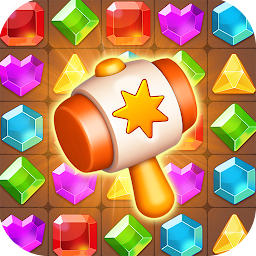


Gem eliminate is a Puzzle application developed by Muhammad Zeeshan M Ismail, but with the best Android emulator-LDPlayer, you can download and play Gem eliminate on your computer.
Running Gem eliminate on your computer allows you to browse clearly on a large screen, and controlling the application with a mouse and keyboard is much faster than using touchscreen, all while never having to worry about device battery issues.
With multi-instance and synchronization features, you can even run multiple applications and accounts on your PC.
And file sharing makes sharing images, videos, and files incredibly easy.
Download Gem eliminate and run it on your PC. Enjoy the large screen and high-definition quality on your PC!
✨ Welcome to Gem Eliminate – the sparkling match-3 adventure that brings puzzle-solving joy to your fingertips! 💎🧠Slide, swap, and match colorful gems to unleash explosive combos and solve mind-teasing puzzles. Whether you're a casual player or a puzzle pro, Gem Eliminate offers a visually stunning, deeply satisfying experience filled with vibrant animation and relaxing gameplay.
🎮 Game Features:
🔹 Classic Match-3 Fun with a Twist
Enjoy intuitive gameplay with exciting new mechanics. Special boosters, unique gem effects, and clever obstacles add fresh layers of strategy to every level.
🔹 Hundreds of Satisfying Levels
From quick matches to challenging boards, there's always something new to conquer. Levels range in complexity, giving both beginners and experts a great time.
🔹 Eye-Catching Graphics & Soothing Music
Each level bursts with color and detail, accompanied by relaxing soundscapes that keep you calm and focused.
🔹 Offline Play Anytime
No internet? No problem! Keep your puzzle streak alive wherever you go.
🔹 Daily Challenges & Seasonal Events
Come back every day for new tasks, rewards, and surprises. The fun never stops!
✨ Gem Eliminate is more than a puzzle game—it's a gem-filled escape that keeps you coming back for more. Perfect for winding down, testing your wits, or simply enjoying some colorful chaos. Ready to match your way to satisfaction?