


Use LDPlayer to Play Runner Leaf on PC
Runner Leaf is a Adventure game developed by violetta, and with the best Android emulator, LDPlayer, you can now enjoy Runner Leaf on your computer.
Playing Runner Leaf on PC allows you to harness the full power of your computer's CPU and memory resources, without worrying about lag or crashes. You're no longer constrained by battery life, mobile data, or interruptions—play for as long as you want.
LDPlayer, one of the Android emulators for Windows PC, is designed specifically for mobile gamers. Based on Android 9.0, it enhances your gaming experience on PC by providing faster performance and higher FPS.
Moreover, LDPlayer offers unique emulator features including multi-instance support, macros, synchronization, and other features not available on mobile devices. Start downloading and playing Runner Leaf on your computer now!
Dive into a mesmerizing world where nature's beauty meets the thrill of endless running. Welcome to RunnerLeaf, a captivating and exhilarating mobile game that invites you to immerse yourself in the heart of an enchanted forest. With its rich visuals, dynamic gameplay, and compelling storyline, RunnerLeaf promises an unforgettable gaming experience that will keep you hooked for hours on end.1: The Enchanted Forest Beckons
Step into the shoes of our intrepid hero, a sprightly forest creature with an insatiable curiosity. The story begins as you explore the vibrant landscapes of the Enchanted Forest, each corner brimming with life and mystery. From ancient trees that whisper secrets to hidden glades where magical creatures frolic, the world of RunnerLeaf is a visual delight.
2: Unleash Your Inner Runner
As the forest creature, your destiny is intertwined with the art of running. Feel the wind rush through your fur as you dash across meadows, leap over babbling brooks, and navigate treacherous terrains. The controls are intuitive, responding to your every touch and swipe, ensuring a seamless and immersive experience. With each stride, you'll discover the joy of movement and the thrill of speed.
3: Obstacles and Challenges
The path through the Enchanted Forest is not without its obstacles. Test your reflexes as you encounter fallen trees, rocky obstacles, and deviously designed hurdles. Timing is crucial as you jump, slide, and maneuver your way through these challenges. With every successful dodge, you'll feel a surge of accomplishment, pushing you to go farther and overcome even greater obstacles.
4: Power-Ups and Enhancements
To aid you on your journey, RunnerLeaf offers an array of power-ups and enhancements. Collect magical leaves to boost your speed, activate shields for invincibility, and uncover hidden shortcuts that propel you forward. Each power-up adds a strategic layer to the gameplay, allowing you to tailor your approach to different sections of the forest.
5: Meet the Inhabitants
The Enchanted Forest is not only a visual wonderland but also a realm teeming with life. Along your run, you'll encounter a delightful cast of characters, from mischievous fairies to wise old owls. Engage in side quests, gather collectibles, and unravel the stories of these charming inhabitants. Your interactions will leave a lasting impact on the forest's ecosystem, adding depth to your journey.
6: Evolving Landscapes
The Enchanted Forest is a living entity that evolves as you progress. Witness the transition from dawn to dusk, marvel at the changing seasons, and adapt to the shifting terrain. Each run offers a unique experience, ensuring that no two journeys are alike. The dynamic environments reflect the passage of time, making RunnerLeaf a game that you'll want to return to again and again.
7: Compete and Connect
RunnerLeaf is not just a solitary adventure. Engage in friendly competition with players from around the world through online leaderboards. Compare your scores, challenge your friends, and strive for the top spot. The global community adds a layer of excitement as you strive to become the ultimate forest champion.
8: Crafting Your Tale
RunnerLeaf allows you to shape your own narrative. Customize your forest creature with an array of outfits, accessories, and personal touches. Your character becomes a reflection of your style and personality, making the adventure uniquely yours.
RunnerLeaf is more than just a game; it's an escape into a world where nature's beauty and the thrill of endless running collide. With its captivating storyline, intuitive controls, and breathtaking visuals, RunnerLeaf redefines the endless runner genre. Immerse yourself in the Enchanted Forest, overcome challenges, meet enchanting characters, and unlock the magic that lies within. Are you ready to embark on a journey of discovery and wonder?
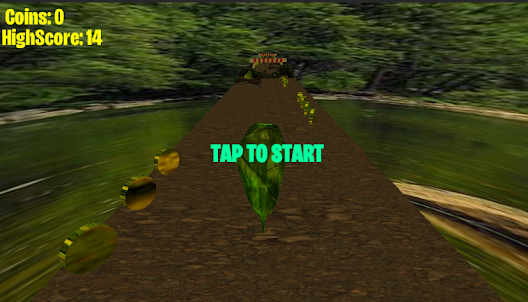
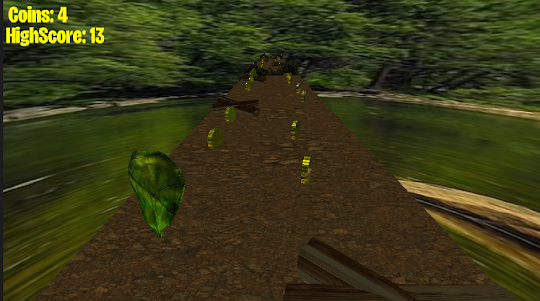
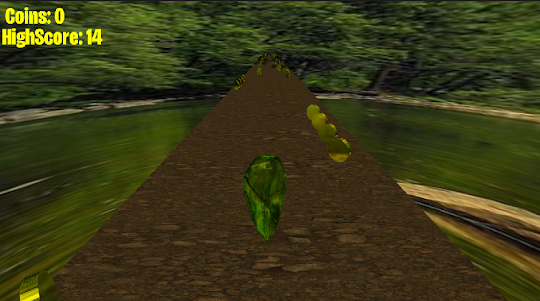
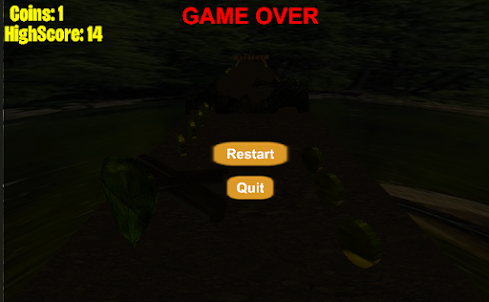
Screenshots and Videos of Runner Leaf PC
Why Play Runner Leaf on PC with LDPlayer?
How to Download Runner Leaf on PC?
Download and install LDPlayer on your computer
Locate the Play Store in LDPlayer's system apps, launch it, and sign in to your Google account
Enter "Runner Leaf" into the search bar and search for it
Choose and install Runner Leaf from the search results
Once the download and installation are complete, return to the LDPlayer home screen
Click on the game icon on the LDPlayer home screen to start enjoying the exciting game
If you've already downloaded the APK file from another source, simply open LDPlayer and drag the APK file directly into the emulator.
If you've downloaded an XAPK file from another source, please refer to the tutorial for installation instructions.
If you've obtained both an APK file and OBB data from another source, please refer to the tutorial for installation instructions.