


Shoot The Drones
Use LDPlayer to Play Shoot The Drones on PC
Shoot The Drones is a Action game developed by Just Started the Games, and LDPlayer is the best platform for playing Shoot The Drones on PC, offering powerful features to immerse you in the game.
When playing Shoot The Drones on computer, you can adjust frame rate settings for smooth gameplay and stunning visuals.
LDPlayer also provides pre-configured keyboard mapping for convenient control of the entire game. Continuous optimization of keyboard mapping enhances key sensitivity and skill accuracy. Additionally, LDPlayer offers special buttons like shoot, hide mouse, and continuous key press for an enhanced gaming experience.
If you prefer using a gamepad, the automatic gamepad detection allows you to customize controls with just a few clicks, enabling you to freely maneuver your hero. Start downloading and playing Shoot The Drones on your computer now!
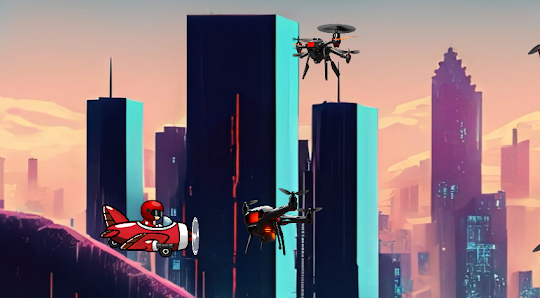
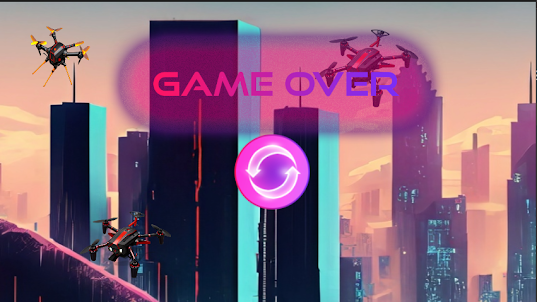
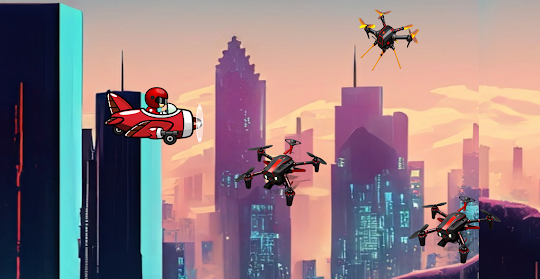
Welcome to "Shoot The Drones," an immersive and electrifying action game set in a dystopian future where the world is under the oppressive rule of nefarious forces armed with advanced drones. As the hero, you embark on a daring mission to liberate the world from the clutches of these malevolent entities.Piloting a state-of-the-art combat helicopter, you'll soar through futuristic landscapes fraught with danger. The skies are filled with enemy drones, each equipped with weaponry and advanced AI. Your mission is clear - shoot down these menacing drones and accumulate points to disrupt the enemy's plans.
The game features an array of challenging levels, from towering skyscrapers to sprawling urban landscapes; you'll navigate through the futuristic world, engaging in intense aerial battles. The enemy drones come in various shapes and sizes, requiring strategic maneuvers and precise shooting to ensure victory.
Screenshots and Videos of Shoot The Drones PC
Why Play Shoot The Drones on PC with LDPlayer?
How to Download&Play Shoot The Drones on PC?
Download and install LDPlayer on your computer
Locate the Play Store in LDPlayer's system apps, launch it, and sign in to your Google account
Enter "Shoot The Drones" into the search bar and search for it
Choose and install Shoot The Drones from the search results
Once the download and installation are complete, return to the LDPlayer home screen
Click on the game icon on the LDPlayer home screen to start enjoying the exciting game
If you've already downloaded the APK file from another source, simply open LDPlayer and drag the APK file directly into the emulator.
If you've downloaded an XAPK file from another source, please refer to the tutorial for installation instructions.
If you've obtained both an APK file and OBB data from another source, please refer to the tutorial for installation instructions.